
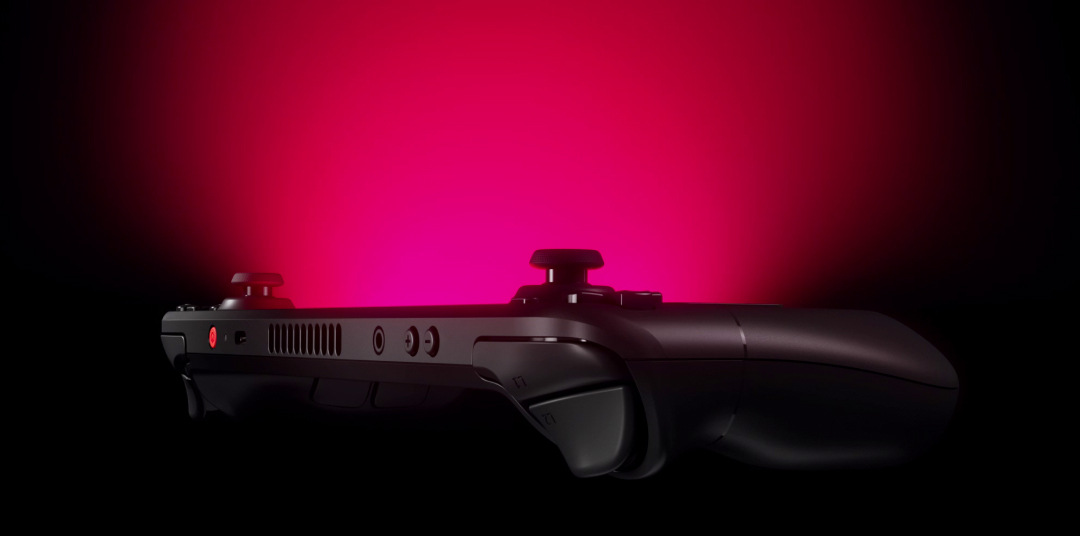
Navigating the ins and outs of the Steam Deck can be overwhelming at first glance. This portable powerhouse combines the flexibility of a gaming PC with the convenience of a handheld device, prompting numerous questions from prospective users and enthusiasts alike. Here, we provide detailed answers to some of the most common inquiries about the Steam Deck, covering everything from hardware capabilities to software features, ensuring you’re well-informed before making a purchase or upgrade decision.
Can You Use Multiple Accounts on a Single Steam Deck?
Absolutely. The Steam Deck supports multiple Steam accounts, allowing each user to maintain personalized settings and save data independently. This makes it ideal for households with shared devices, where each gamer can have their own profile without conflicts. Managing several accounts on one device is seamless, thanks to Steam’s user-friendly interface and account-switching features.
Is Running Non-Steam Games Possible via Proton?
Yes. The Steam Deck is designed to run a wide variety of non-Steam titles through Proton, Valve’s compatibility layer. This enables players to access and play games from different storefronts or platforms, significantly expanding the device’s gaming library. To optimize your experience, consider exploring strategies to enhance performance, which can be found in resources on creating engaging experiences on small screens.
Will the Steam Deck Support Adding New Games Like the Desktop Version?
Definitely. The device will feature an ‘Add a Game’ option similar to the desktop Steam client, making it easy to include titles outside your Steam library. This flexibility ensures that you can enjoy a broad range of games, whether they are purchased through Steam or other sources, enhancing your gaming versatility.
Is the User Interface Going to Replace Big Picture Mode?
Replacing Big Picture Mode is one of Steam Deck’s goals. The interface is being tailored to suit handheld gaming, offering a more streamlined and intuitive experience. However, the rollout will occur gradually, allowing Valve to refine the design based on user feedback and technical testing.
Will Improvements to Proton for the Steam Deck Also Benefit Desktop Users?
Yes. Enhancements made to Proton, such as improved anti-cheat support and compatibility, are designed to benefit all systems using this compatibility layer. This cross-platform update means that both Steam Deck and desktop users will enjoy a richer gaming experience with fewer compatibility issues.
How Does Offline Mode Work on Steam Deck?
Similar to traditional PCs, Steam Deck requires an internet connection initially for downloading games and enabling online features like multiplayer. Once a game is fully installed on the device, you can play it offline unless it explicitly demands an internet connection, such as for online multiplayer or DRM authentication.
What File System Format Does the microSD Card Use?
Steam Deck formats microSD cards with ext4, including casefolding, which optimizes storage and performance. This ensures compatibility and stability when expanding storage via SD cards, making it straightforward to add more games or files.
Can the Steam Deck Function as a PC Controller?
Yes. The device can connect to a PC via Remote Play, allowing you to use it as a controller or remote interface. This feature offers additional flexibility, transforming the Steam Deck into a portable control hub for your gaming setup.
Is it Possible to Use PC VR Headsets with the Steam Deck?
While technically feasible to connect VR headsets, the Steam Deck is not optimized for immersive virtual reality experiences. Its hardware limitations mean that VR applications may not perform adequately, so it’s better suited for traditional gaming.
Does Docking the Steam Deck Improve Performance?
No. Docking the device is similar to connecting a USB-C hub to a PC, primarily expanding connectivity options. The Steam Deck is engineered to deliver full performance in handheld mode, and docking does not enhance or diminish its gaming capabilities.
What Types of Screens Do Different Models Feature?
All models feature a high-quality, glass-based IPS LCD screen with optical bonding. The 512 GB variant has an additional anti-glare etched coating, reducing reflections and improving visibility in bright environments. The screens provide vibrant visuals and touch responsiveness, supporting multitouch with up to ten fingers.
What Kind of Haptic Feedback Does the Device Provide?
The Steam Deck utilizes dual LRA motors, one positioned under each trackpad, delivering precise and varied haptic feedback. This tactile response enhances immersion, especially during gameplay that relies on subtle vibrations.
Can You Replace Parts Like the Thumbsticks or SSD?
Yes. In partnership with iFixit, Valve offers replacement parts and comprehensive repair guides for the Steam Deck. The device is designed with repairability in mind, enabling users to upgrade or replace components such as thumbsticks or SSDs. For a visual guide on replacing the thumbsticks, check out this detailed tutorial.
Does the Audio Jack Support Both Headphones and Microphones?
Yes. The built-in 3.5mm audio jack supports both audio output and microphone input, conforming to the CTIA standard layout. This makes it compatible with most headphones and headsets.
Is the Touchscreen Multitouch Enabled?
Absolutely. The touchscreen supports multitouch gestures with up to ten fingers, providing a responsive and intuitive interface for navigating menus, games, and applications.
What is the Length of the Charging Cable?
The included charging cable measures approximately 1.5 meters (about 4.9 feet), offering ample length for comfortable use while charging or playing from a distance.
Will the Steam Deck Be Available in Other Regions?
Currently, Steam Deck is available directly through Steam in the US, Canada, UK, and the EU. Valve is working with partners like Komodo to expand availability to Japan, South Korea, Taiwan, and Hong Kong, broadening access for gamers worldwide.
Does the BIOS Support Dual Booting?
Yes. The Steam Deck’s BIOS allows multi-boot configurations, enabling users to install and select between multiple operating systems. This flexibility is ideal for those interested in customizing their device or running alternative OS setups.
Can You Boot an Operating System from a microSD Card?
Certainly. The device supports booting from microSD cards, providing an easy way to run different operating systems or portable environments without altering the primary storage.
Is External GPU Support Available?
No. The Steam Deck does not support external GPUs. Its hardware is optimized for portable gaming and internal components, limiting the potential for external graphics enhancements.
—
Explore more about creating seamless gaming experiences on small devices by reviewing guides on crafting engaging content for compact screens. For insights into developing profitable mobile ecosystems, visit this resource. To understand the costs involved in developing gaming applications, refer to this detailed overview.
Get your Steam Deck today and experience portable gaming like never before!