


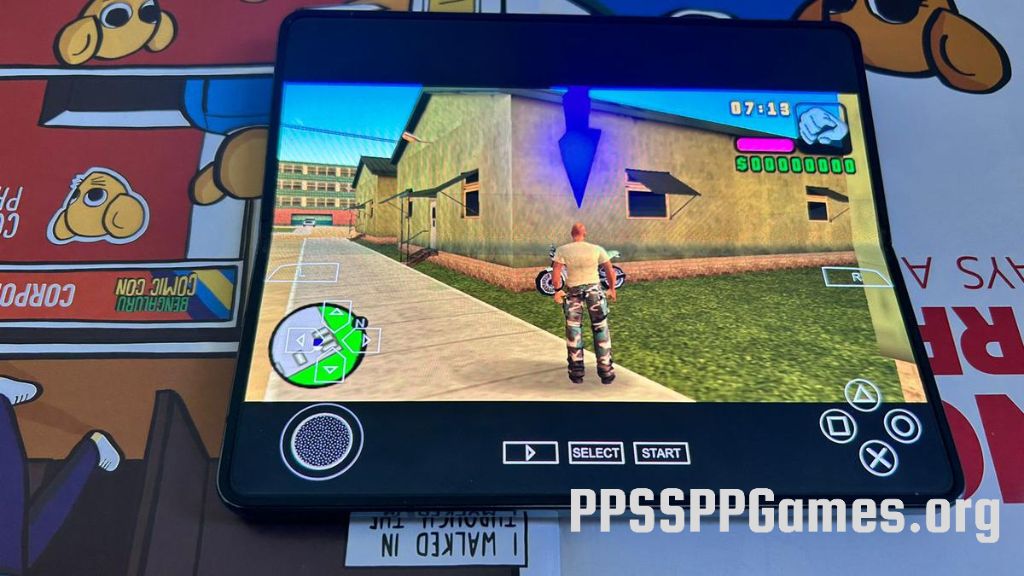
Unlock the full potential of your Android smartphone by playing classic PSP games with ease. Using a reliable emulator like PPSSPP, you can enjoy a vast library of PlayStation Portable titles directly on your mobile device. This comprehensive guide walks you through the entire process—from installing the emulator to optimizing your gaming experience—so you can relive your favorite games anytime, anywhere.
What Is PPSSPP and Why It’s the Best PSP Emulator for Android
PPSSPP, short for PlayStation Portable Simulator Suitable for Playing Portably, is a highly popular, open-source emulator designed specifically for running PSP games on various platforms, including Android. Developed by Henrik Rydgård, who also contributed to the Dolphin emulator for GameCube and Wii, PPSSPP offers impressive compatibility and advanced features that enhance the gaming experience beyond what the original hardware could deliver.
One of the main advantages of PPSSPP is its ability to upscale graphics, improve textures, and enable features like save states and cheat codes. These enhancements allow players to enjoy their favorite PSP titles in higher resolutions with smoother performance, especially on powerful Android devices. For a deeper understanding of how to turn ideas into successful mobile applications, explore transforming concepts into chart topping mobile hits.
How to Download and Install PPSSPP on Your Android Device
Download Options
Getting PPSSPP on your Android device is straightforward. You can choose between:
- Google Play Store: The simplest way is to search for “PPSSPP” directly on the Play Store and install the free version, which is free from ads and fully functional.
- Official Website: For those who prefer to keep a local copy, the emulator’s APK can be downloaded from ppsspp.org. This option is also useful if the app is temporarily unavailable on the Play Store.
Comparing Free and Paid Versions
PPSSPP is available in two versions:
- Standard PPSSPP: Offers all core functionalities at no cost.
- PPSSPP Gold: A paid version that supports the developers through donations, with identical features to the free version. Both are reliable and safe to use, but the free variant is sufficient for most players.
Step-by-Step Installation Guide
1. Open the Google Play Store on your Android device.
2. Search for “PPSSPP” and select the official app.
3. Tap “Install” and wait for the download to complete.
4. Launch PPSSPP once installed.
5. When prompted, create or select a folder dedicated to your PSP games—commonly named “PSP” or “PPSSPP”—within your internal storage.
6. Grant the necessary permissions to allow the emulator to access your files.
Acquiring PSP Game Files
PPSSPP does not come with games. You must obtain PSP game files in ISO or CSO formats. These files act as virtual copies of physical discs and can be found on various websites, provided you own the original games to stay within legal boundaries.
Supported File Formats
PPSSPP seamlessly supports multiple formats, including:
- ISO (the most common)
- CSO (compressed ISO files for saving space)
- CHD (compressed hard disk images)
- PBP (official PSP game package files)
- DAX, ZIP, and RAR archives containing game data
Adding and Playing Games on PPSSPP
How to Organize Your Games
- Download your PSP game files and ensure they are in ISO or CSO format.
- If your files are compressed in ZIP or RAR, extract them using built-in tools or applications like 7-Zip.
- Transfer the extracted files into the PSP/GAME folder you created earlier.
- Launch PPSSPP and tap “Browse” to locate your game folder.
- Select “Use this folder,” allowing the emulator to scan and display available games.
Once set up, simply tap on any game icon to start playing. The emulator will load the game and display on-screen touch controls, which can be customized for comfort.
Optimizing PPSSPP for the Best Gaming Experience
Graphics Enhancements
To maximize visual quality:
- Increase rendering resolution to 2x, 4x, or higher, depending on your device’s processing power.
- Enable texture filtering for sharper textures.
- Adjust frame rate settings to 60 FPS if your device supports it.
- Apply texture scaling options to improve graphic fidelity beyond the original.
Performance Tweaks
For smooth gameplay:
- Turn on frame skipping and set it to auto or a low number.
- Enable buffered rendering and hardware transform.
- Use the vertex cache for better frame rates.
- Close background apps to free up resources.
Touch and External Controls
PPSSPP offers highly customizable touch controls that can be moved, resized, and made transparent to suit your preferences. For a more console-like experience, connect Bluetooth controllers compatible with Android. Many titles, such as racing or fighting games, benefit greatly from external gamepads. You can also remap controls within the emulator settings for optimal gameplay.
Exploring Advanced Features
Save States and Game Enhancements
PPSSPP supports save states, which allow you to save your game progress at any moment independently of in-game save systems. Additionally, you can enhance graphics further by downloading HD texture packs or applying cheat codes from community forums, making your gaming sessions more immersive.
Multiplayer Support
The emulator also facilitates local multiplayer through ad-hoc networking, meaning you can connect with friends over Wi-Fi and enjoy multiplayer PSP games together.
Troubleshooting Common Problems
Improving Performance
If games run sluggishly, try reducing the rendering resolution or disabling some advanced graphic options. Closing other apps and enabling performance mode on your device can also help.
Compatibility Issues
Not every PSP game works perfectly with PPSSPP. Consult the official compatibility list on the PPSSPP website to verify how well your favorite titles are supported.
Control Difficulties
If touch controls are unresponsive or awkward, consider connecting an external controller. You can also customize the layout and sensitivity within the app to enhance responsiveness.
Safety and Legality
Using PPSSPP from trusted sources like the Google Play Store or ppsspp.org ensures safety. Remember to only download game files that you legally own to avoid copyright issues. The emulator itself does not pose security risks.
Frequently Asked Questions
What is the top PSP emulator for Android?
PPSSPP is the most reliable and widely used PSP emulator, known for its excellent compatibility and feature set.
Can PPSSPP run PlayStation 1 games?
No, PPSSPP is designed exclusively for PSP titles. For PS1 games, you should use a dedicated PlayStation 1 emulator.
Is PPSSPP safe to use?
Yes, when downloaded from official sources, PPSSPP is completely safe. The risk of malicious game files is minimal provided you acquire them from reputable sites and own the original games.
Does PPSSPP support iOS?
Yes, it is also available on the iOS App Store, allowing iPhone and iPad users to enjoy PSP games without jailbreaking.
How do I run ISO files directly on PPSSPP?
Place your ISO or CSO files in the PSP/GAME folder, then open PPSSPP, browse to that folder, and select the game to start playing immediately.
Where can I find PSP game files legally?
While PPSSPP itself does not provide games, you can find legally owned copies on websites like EmuParadise or other ROM archive platforms, ensuring you have the right to download and use them.
How do I install the emulator?
Simply download PPSSPP from the Google Play Store, tap install, and set up your game directory as described above.
What are some must-play PSP titles?
Popular games include God of War: Chains of Olympus, Crisis Core: Final Fantasy VII, Monster Hunter Freedom, Gran Turismo PSP, and Persona 3 Portable. These titles highlight the PSP’s diverse library and are fully compatible with PPSSPP for an authentic gaming experience.
Enjoy your journey into portable PSP gaming with a well-configured emulator that brings classic titles to your fingertips.