
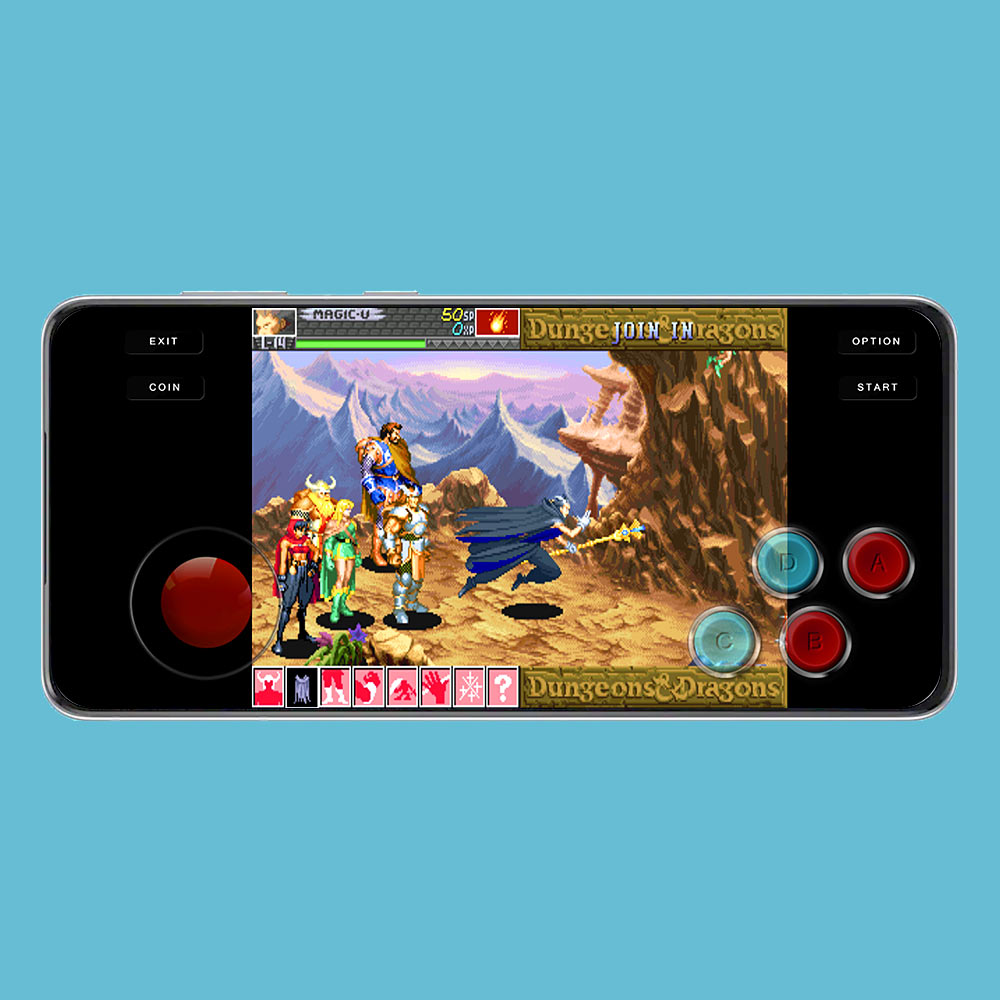
Emulators have revolutionized the way we relive classic video games, especially arcade titles that defined an era of gaming. MAME4droid stands out as one of the most popular and accessible options for Android users eager to experience arcade classics on their mobile devices. Whether you’re a seasoned gamer or a curious newcomer, understanding how to properly set up and utilize MAME4droid can open up a world of pixelated nostalgia. This comprehensive guide will walk you through everything from installation to troubleshooting, ensuring you get the most out of this powerful emulator.
—
About MAME4droid
MAME (Multiple Arcade Machine Emulator) is renowned for its extensive compatibility and ability to emulate thousands of arcade games faithfully. Its community of developers continually updates and refines support for a wide range of titles, making it one of the most comprehensive arcade emulators available. The Android port, MAME4droid, brings this functionality to mobile devices, optimized for touch controls and ease of use. Despite its straightforward interface, initial setup can be a bit complex due to Android’s security restrictions. However, with this guide, you’ll find the process manageable and even enjoyable.
—
Should You Use MAME4droid?
As of 2025, the landscape of emulators offers several options, but MAME4droid remains a top choice for dedicated arcade gaming on Android. Compared to multi-system emulators like RetroArch, which support over 40 different platforms, MAME4droid is a standalone solution designed specifically for arcade titles. RetroArch’s versatility includes multiple ‘cores’ for MAME versions, which can be advantageous if you want access to older or specific arcade ROMs. However, MAME4droid’s simplicity and ready-to-play setup make it ideal for casual users who prefer a plug-and-play experience. Be aware that recent Android updates (versions 13-16) restrict access to certain folders, which may affect your ability to load ROMs unless your device is compatible. For those interested in advanced configurations, exploring scaling your vision with dedicated teams can be beneficial.
—
A Quick Introduction to Arcade Emulation
If you’ve previously used emulators like Snes9x or DuckStation, you know how straightforward it is to load a game with a single ROM file. Arcade emulation, however, is more intricate because arcade games often consist of multiple ROM files organized in parent and child (clone) relationships. For example, a game like “Dungeons & Dragons: Shadow Over Mystara” requires several ZIP files: a parent ROM containing core data (e.g., “ddsom.zip”) and regional or version-specific child ROMs (such as “ddsomu.zip” for the US version). The parent ROM must always be present for the game to function, and you should never rename or extract these files— their filenames are critical for MAME to recognize them correctly. This setup helps conserve device storage and simplifies game management.
—
Downloading MAME4droid
When searching for MAME for Android, you will encounter multiple versions on Google Play. To ensure compatibility and access to the most stable experience, it’s recommended to download an older, well-supported version like [MAME4droid (0.139u1)] from Google Play. This version tends to handle ROMs more reliably, especially since older ROMs often perform better with earlier MAME builds. Download and install this version to proceed with the setup process.
—
Moving ROMs to MAME4droid
Transferring ROM files to your device is arguably the most challenging step, but with patience and the right tools, it becomes straightforward. First, launch MAME4droid to allow it to create the necessary folders; select “Default” when prompted, then exit the app. Next, install a file manager like ZArchiver, which is free and user-friendly. Using ZArchiver, navigate to your device’s “Download” folder, select the ROM ZIP files, and cut them.
Then, access your device’s system folders: go into the `Android/data/com.seleuco.mame4droid/files/roms/` directory—this is where MAME4droid looks for game files. Paste your ROMs here, making sure not to extract or rename them. For detailed guidance, you can refer to how to unlock various game genres in your game development journey.
—
NeoGeo Games and the neogeo.zip BIOS
To run NeoGeo titles, you need to add the NeoGeo BIOS file, which is essential for booting these games. Download the BIOS file (approximately 931 KB) from a trusted source, and move it into the same ROMs folder where your game ZIP files are stored. Do not rename or extract this BIOS archive. Once placed correctly, NeoGeo games should load without issues.
—
Loading a Game
Opening MAME4droid displays only the ROMs that it detects in your ROMs folder, simplifying navigation. Use the on-screen joystick to scroll through the list of available titles—any ROM with a white font is recognized and ready to play. Highlight your desired game and press the Load button. Use the joystick to bypass the initial menu, then insert virtual quarters by pressing the COIN button multiple times. Once ready, press START to launch the game and enjoy classic arcade action.
—
Troubleshooting Undetected Games & Loading Errors
It’s common for MAME to fail to recognize certain ROMs or to produce errors during gameplay. This often results from incompatible or outdated ROM files, especially since MAME updates frequently to support newer dumps of arcade games. To troubleshoot:
- Confirm your ROMs are located in the correct folder.
- Never rename or extract ZIP files.
- Ensure the NeoGeo BIOS is present if playing NeoGeo titles.
- Verify that the parent ROM is available for the game.
- If errors persist, try downloading different versions of the ROMs or exploring training on how to make a hardware engineer in game dev story to better understand hardware emulation constraints.
In some cases, using a multi-system emulator like RetroArch, which supports multiple versions of MAME, can resolve compatibility issues, especially with older ROMs.
—
Playing Dual Joystick Games
Many arcade classics, such as “Tron” or “Robotron,” require two joysticks, but MAME4droid’s default overlay only offers a single joystick. Currently, it does not support adding a second virtual joystick directly. The best workaround is to use a Bluetooth gamepad with dual analog sticks or D-pads. Alternatively, for more flexible control options, check out how to scale your vision with dedicated teams, which can help set up custom controls with advanced emulators like RetroArch.
—
Save States
The save states feature allows you to record your exact game position and resume later. MAME4droid lets you save up to two different states:
- To save your progress, press the Options menu, then select Save State. Choose either slot 1 (B) or slot 2 (A).
- To load a saved state, access the menu again, select Load State, then pick the corresponding slot.
This feature is especially handy for difficult levels or when you need to pause gameplay unexpectedly.
—
Finding ROMs
Reliable sources for arcade ROMs include:
- Archive.org, the internet’s vast digital library, contains a wealth of ROM files. Use search phrases like “archive.org mame” to locate relevant collections.
- Reddit communities such as r/MAME often share links and advice for ROM downloads.
- For quick access, check out dedicated ROM repositories on your favorite ROM sites or in my links page.
—
Knowing Which ROMs to Download
Identifying the correct ROM files for your arcade games can be daunting without a comprehensive database. AI tools like ChatGPT can assist by providing the exact ROM names needed for each game. For example, instruct it:
> I need help finding the exact rom names for an arcade game with MAME. Give me a list of the parent rom and all the child roms associated with [game name].
Alternatively, the Windows version of MAME, known as MAMEUI, includes a detailed database that simplifies this process. For more details, see my tutorial on training how to make a hardware engineer in game dev story.
—
Advanced Help with MAME
This guide focuses on beginners and casual gamers. For more technical or in-depth assistance, consider visiting specialized communities like r/MAME or r/cade on Reddit. These forums are invaluable for troubleshooting complex issues or customizing arcade cabinet setups.
—
Thank you for exploring this guide on MAME4droid! If you found it helpful, please share it with fellow arcade enthusiasts. For questions or support, don’t hesitate to reach out via email or social media. To help keep this resource free and up-to-date, consider supporting the site through small donations or by buying me a coffee.