


Editing game data directly on Android devices can seem daunting, especially for those unfamiliar with hexadecimal files and memory manipulation. This tutorial aims to demystify the process, providing clear, step-by-step instructions to help you modify saved game files and character data safely and effectively. Whether you’re aiming to adjust character stats, unlock items, or modify inventory, understanding how to work with raw game data empowers you to customize your gaming experience beyond conventional limits.
While this method involves working directly with the game’s raw data, it is crucial to proceed with caution. Always keep backups of your original files before making any modifications. This approach is compatible across different operating systems, but for Android users, it offers a practical way to access and edit game files without rooting your device or using complex tools. For more advanced techniques and detailed insights into game file structures, visit the official resources such as Infinity Engine file formats or learn about starting an indie game development team.
Understanding the Basics of Hex Editing on Android
Hex editing involves modifying the hexadecimal representation of data stored in game files. These files are usually located in your device’s app data folders, which can be accessed through file managers or ADB commands, provided your device allows it. Popular hex editors for Android include HEX Editor and RealCal Plus, which support hexadecimal and ASCII modes, making data manipulation straightforward.
Before starting, familiarize yourself with the file formats specific to your game. For example, the Infinity Engine’s character files (.chr) and save files (.gam) contain structured data such as ability scores, inventory items, and character attributes. Resources like Infinity Engine game data formats can help you understand how data is organized.
Editing Character Ability Scores
One common modification is adjusting a character’s ability scores, which are stored in a specific order and format within save files. For example, ability scores may be stored as: Strength, Strength Bonus, Intelligence, Wisdom, Dexterity, Constitution, Charisma. To locate these values:
- Write down the current scores in the game’s data file order.
- Convert these decimal scores to hexadecimal.
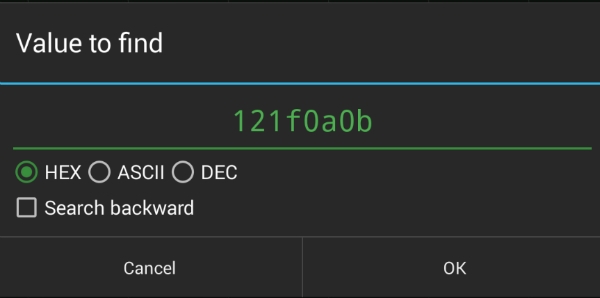
- Search for the hexadecimal sequence in your save file using your hex editor.
- Once located, modify only the specific byte corresponding to the ability you want to change.
- Save your changes and load the game to verify.
For instance, to set a Dwarven fighter’s Strength Bonus to 100% (hex 64), replace the existing value (e.g., 1F) with 64, then save and reload the game.
Manipulating Inventory Items
Adding or removing items involves editing the inventory data section within your game files. To do this:
- Identify a unique item code (e.g., BAG31 for Bag of Holding) from official item code lists.
- Insert this code into the appropriate location in your save or character file.
- Ensure the string length matches; pad with 00 if necessary.
- Use ASCII or hex mode in your editor to replace the existing item code.
- Save the modified file and load your game to see the change.
A recommended strategy is to first insert a placeholder item into an empty inventory slot, then replace its code with your desired item, ensuring data integrity.
Handling Endian-ness and Data Formats
Understanding how data is stored is vital. Android devices typically use little-endian format, meaning multi-byte values are stored with the least significant byte first. For example, to change gold from 964 (0x03C4) to 2000 (0x07D0), search for c403 and replace it with d007.
Always verify the data structure for your specific game version. Official resources and community guides can assist in decoding these structures.
Precautions and Best Practices
- Always back up original files before editing.
- Use a reliable hex editor that supports both hex and ASCII modes.
- Be cautious with stackable items or quest triggers—adding these directly can corrupt game progress.
- Do not attempt to modify quest items or trigger-based data unless you understand the consequences.
- When in doubt, transfer files to a PC for more comfortable editing with advanced tools.
For more detailed strategies on assembling and modifying game data, explore how to start an indie game development team from scratch.
Conclusion
Hex editing on Android offers a powerful way to customize your gaming experience, from minor tweaks to significant modifications. With patience and attention to detail, you can unlock new possibilities and extend the lifespan of your favorite titles. Remember, responsible editing and regular backups are key to avoiding corruption and ensuring a smooth gaming journey. If you encounter challenges or wish to expand your skills, continue exploring official documentation and community tutorials.
Happy editing!